TinyAgentDeck
Many Claude Code sessions.
One Kanban board.
Run several Claude Code agents at once and see — at a glance — whose turn it is. Native macOS, not a browser. Each session is a live terminal you jump into the moment it needs you.
Whose turn is it?
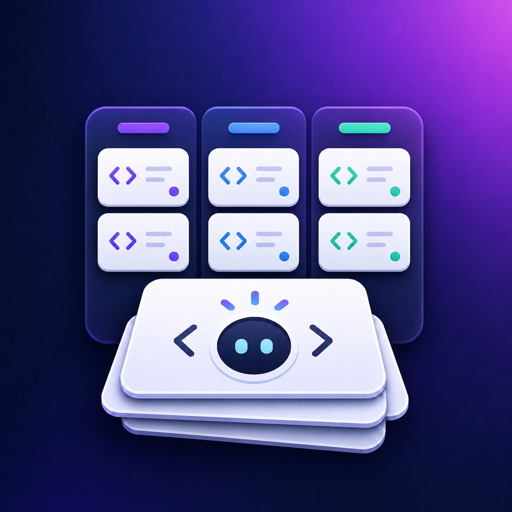
Every session is a card in three lanes — needs you, idle, and working. Cards move themselves as your agents start, stop, and wait, so one glance tells you where to look. Each card shows the project, your last prompt, and the agent's latest reply.
A live terminal per session
Open a card into its own window: a real Claude Code terminal you can type into, plus a Files tab to browse the project with Markdown and syntax-highlighted code. Switch in a tab — the session keeps running, even when hidden.
Driven by Claude Code hooks
A tiny local hook nudges each card the instant its agent needs input or goes back to work — no polling, no babysitting. The receiver is loopback-only and token-authenticated, so nothing on your network (or in your browser) can move your cards.
Your skills, commands & MCP — one click
Every / command, skill, and MCP server available to the project, scanned live from your config. Click one to drop it straight into the focused terminal — no memorizing, no typos.
Why TinyAgentDeck
A command deck for the way you actually run Claude Code — several agents at once, native, and sold once.
Native & light
Built in SwiftUI and AppKit for Apple Silicon. No Electron, no web view — each extra session is just a thin window and a terminal, not another browser.
Your turn, surfaced
The board answers one question all day: which agent is waiting on you? When a session needs attention, a macOS notification brings you straight to it.
Parallel without collisions
Spin up a session in its own git worktree, so two agents working the same repo never clobber each other's files. Cleaned up automatically when the session ends.
Jump straight in
Click a card and its window comes forward. The terminal is live — type your reply, send it back to work, or close the window to end the session for good.
A dashboard per project
Sessions, a task checklist, and Markdown notes for each project — plus the reference panel — so the things you can't keep in your head are one click away.
Buy once
One purchase unlocks everything, forever within 1.x. A 14-day trial up front — no subscription, no account, no per-session billing.
The loop
Start agents, let the board track them, step in only when it's your turn.
Start a session
Pick a project, hit Start. A real Claude Code session launches and its card lands in Working.
It needs you
When the agent stops or asks for input, its card moves itself to Needs you and you get a notification.
You reply
Open the card, type into the live terminal, send it on. Back to Working — or slide it to the middle when you're satisfied.
Done
Close the window to end the session. The terminal and any worktree are cleaned up — the card comes off the board.
vs. juggling terminals
| TinyAgentDeck | Terminal tabs | tmux / windows | |
|---|---|---|---|
| See whose turn it is at a glance | ✓ | ✗ | ✗ |
| Status updates from the agent itself | ✓ hooks | ✗ | ✗ |
| One click to the session that needs you | ✓ | hunt for the tab | remember the pane |
| Per-session file browser | ✓ | ✗ | ✗ |
| git worktree isolation built in | ✓ | manual | manual |
| Native macOS, no browser | ✓ | ✓ | ✓ |
| Price | $19.99 once | free | free |
Simple pricing
Free trial
- The full app for 14 days
- Unlimited sessions
- Every feature, no limits
- Local & native
Pro
- Unlimited sessions, forever
- Every feature unlocked
- Free updates within 1.x
- No subscription, no account
Your license key arrives by email right after checkout. Paste it into Settings → License to unlock Pro — it reactivates after reinstalling.
Get TinyAgentDeck
Download the app, add a project, and start your first session. Then let the board tell you whose turn it is.
Download TinyAgentDeckRequires macOS 14 (Sonoma) or later, Apple Silicon. Needs the Claude Code CLI (claude) on your PATH.